Wednesday, 21 May 2014

Movie Poster Assignment "SPAMMER"

For our fourth assignment, I was told by Mr.C to make a movie poster. I had to option, the first option to choose a movie poster and recreate with me in it or make my own movie poster. I chose to make my own movie poster. I easily came up with my idea, I got my idea when Amanda (MY FRIEND) kept spamming me on facebook so I decided to do a movie poster about a mysterious spammer and student detective.

Since Amanda was my spammer on facebook, I made Amanda my spammer in my movie poster too.
I took two pictures of Amanda's back in her black hoodie, so we will not her face since it a mystery. I chose the second picture because the yellow light look more dramatic.


 I erased the background around Amanda then I use a black gradient so it will look mysterious 

Next I took screenshots of  Amanda's spamming on facebook. Then I erased  her name and profile picture so it would look like anonymous person, I did that multiple time and place the screenshots in a bunch.


Next, I wanted to put a magnify glass since it going to be a mystery movie poster. When, i was looking for the glass, I made sure that the background was transparent so you can see the facebook screenshots under it like a real one.  First, I found the magnify glass on left but it was too small to be use in my movie poster so I found the one on the right with the shadow so I don't have to make a shadow for the magnify glass.  
I cover the glass part, so can select the part of facebook screenshot under the the magnify glass. Then I select the facebook and made it bigger so it look like it got magnified like under a real magnify glass. Next, I erased the facebook part surrounding the magnify glass.

Then I placed the title "SPAMMER", I change the title colour a lot of time, seeing which one I like.


 Finally decide to use red to navy colour for the title.
 Then I placed a checker background so it will not look plain with a white background.
 I made more facebook screenshot to fill up the space so it will not be empty.

Picture I used


 Next, Ramya took picture of me in a thinking pose because I am the detective.
 Then, I stole movie credit from another movie and place in the bottom of my movie poster. I also made the letter white


FINALLY I AM DONE!!!!!!!


Monday, 14 April 2014

Impossible reality: Flying Animals Assignment

Finally Hi everybody, this assignment where I make a picture that look real but it is impossible in real life. At first I wanted to make flowers in the desert............
The Desert Picture I used for first idea 


Flower Picture I used for my first 


but Mr. C said I can't do it because flowers do grow in the desert and it shouldn't be something I would finish in one class. Here is my first try of (<)the idea before Mr. C said I could not do it.


I had a lot of difficulties finding a idea because I could not find an idea to make feel motivate but then my next idea was the idea I finally did, it was flying animal. At first, it was flying panda because I like panda but then I wanted to do other animals so FLYING ANIMALS!!!!:D  


I started to look for a sky to put the animal in and decide on this image.


Next, I started look for a panda picture that I wanted to make the panda fly. I looked for panda first because panda are my favorite animal. Then I looked for wings to put on my panda, I searched for doves' wings first and I found the picture below.


  I place the picture of the panda on the image of the sky I found, then started erasing the the background and making the panda's arm. Then I erased the background in the dove picture and I flip the image so it was in the same direction of the panda. Then I resized the image of the dove so the wing look nice on the panda and now I am done the  FLYING PANDA.


PANDA FINISH
My next animal is kitten but, at first I tried to look for a tiger or pika. However I could not find a nice picture of the animal of the time instead I found a nice picture of a kitten sleeping on a guitar. For the wings I look at doves' wings but I thought doves' wings would not suit the kitten so, I look for baby bird wings like duckling and cygnet then I found this cygnet and I thought it suited the kitten.


   For the kitten, I did the same step as the panda, erase the background, then the erase the body and background of the cygnet. When I finish erasing the kitten,  it looked like the kitten was sleeping the on the cloud so, I left the kitten there. 


After I erased the the body and background of the cygnet, leaving the wings only. I flipped the on the wings so it could be the same direction of the other wings and the kitten. Then I placed the wings together and putted it behind the kitten. 


Then Mr. C said the that the cloud was looked too thin like see through so, I had to make it darker where the kitten is and make shadow for the kitten. Then I am finally done with FLYING KITTEN.


FINISHED KITTEN


 The next animal I planed to make flying was a tiger but I could not find any good tiger picture so I found a white tiger instead. For the white tiger i found two picture I liked but the one below had things covering the tiger so I did not use it, instead I use the picture of the white tiger on the left(<).
When I was looking the wing for the white tiger, I wanted white wings but I did not wanted use doves' wings because I wanted a variety so I searched for cranes' wings and I found a good picture of a crane from the same angle of the tiger.
I started erasing the background of the tiger but Mr. C said the angle was not the same as the other animal do I did not finish the white tiger, instead I move on with my next animal.


I looked for white lions next since I could not finish my white tiger. Here are a the picture I found of a white lion but I did not use this picture because it was blurry and small.

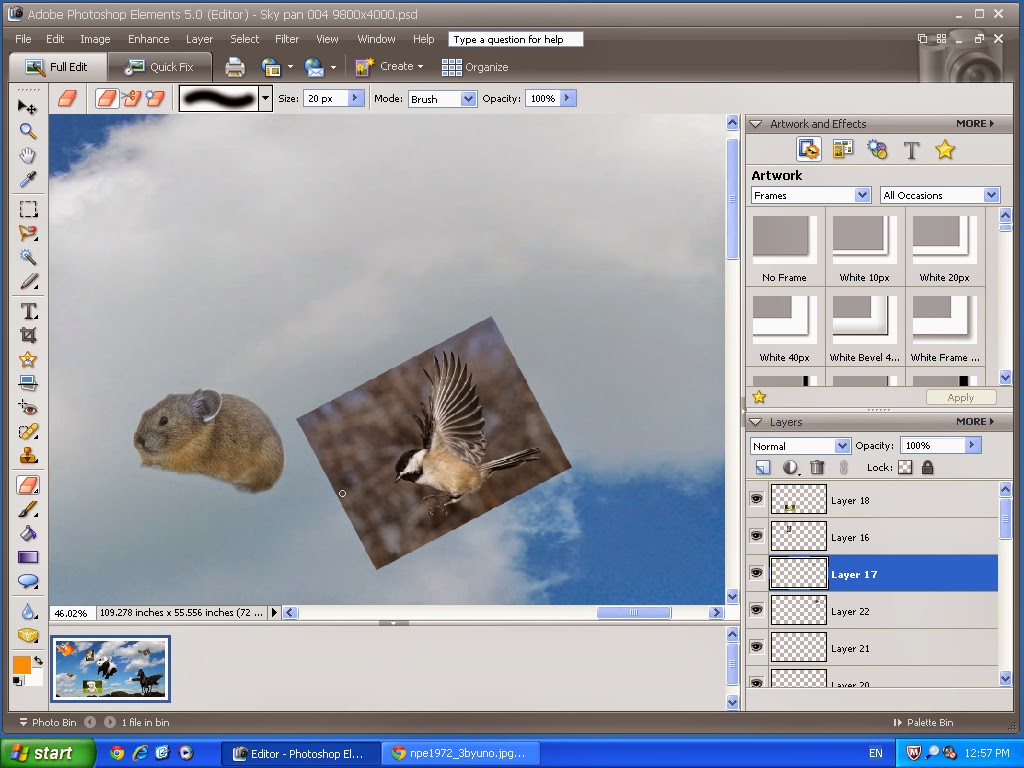
 My next animal was a dog with the wings of a chickadee. I finished the erasing the background of the dog picture and wings of the chickadee picture I found when I was looking for wings that I like. However I placed the wings behind the dog it was very awkward and how the dog was facing directly at me, I did not like it so, I did not use the dog picture.


The next animal I did was a horse, I wanted to turn the horse to a flying PEGASUS(flying horse). I wanted a black horse because I wanted a evil flying pegasus. For my black horse picture I use wings of a crow so it will have black wings


When I finished erasing  the background of the black horse and flipped the crow and placed the crow behind the horse, it did not looked nice so, I went to find another picture. I found the picture below and this picture of the crow was the one I used for my black pegasus. Also, I wanted to make into a flying unicorn/pegasus/alicorn but I could not find any horn I can put on the horse.


EQUAL
.
NOW I AM DONE MY FLYING PEGASUS!!!!!!


I started to got bored so, I finished choosing all my animal first, I chose goldfish, fennec fox, pika and another dog. Then I noticed I was running out of time so I cropped my sky picture smaller so, I do not have to add more animal since I have no more time.


  I first started with my gold fish had two picture but I like the round one because it look like the sun so, I like the gold fish act as a sun.  For the wings, I found a dove that look it going away from you like my gold fish.


 I flipped both the dove and gold fish because I did not like it face that way.  I putted the erased the background on both the gold fish and dove, then I placed the wing on the gold fish but it looked weird so I made the wing smaller and thinner so it match the gold fish fins and I liked so I kept it like that. Then, I placed the other wing behind the gold fish and erase the rest of the dove. Now my gold fish is flying.


For the rest of the animal, it was very easy because I did the sam
e step for all of them. The next animal I did was the pika, for the pika, I used sparrow's wings because it the colour of the pika's fur and sparrow' wings match so I thought it will look nice.
 

 So I erased the background like the other and then I flipped the sparrow so it in the same direction, then place the wing in front and then use the clone the stamp to cover the end of the wings so it look more real. Next I place the other wing behind the pika and then I am done.


After pika, I did the fennec fox. For the wing, I chose sparrow's wings to put on the fennec fox. The fennec fox was the simplest out of all the animal I did because I simply erased the background on both fennec fox image and sparrow image then I place the wings behind the fennec fox. Then I am done.


Finally, my last animal was a dog, for the wing, I chose seagull wings because it white and I did not want to use dove again since I use dove wing twice already. So, erased the background of both picture then erase the seagull body. Next I placed one wing behind the dog, then the other wing in the front and then I use clone stamp to cover the edge. 


FINALLY, I AM DONE MY FLYING ANIMALS PARADISE PICTURE.